



Manual procedures are often tedious and can lead to human errors that affect the configuration of the multiple services created on the platform.
Are you still managing your Google Cloud projects manually? That's more common than you think, and the effort involved is extremely high, not to mention the time invested and the potential configuration errors that can occur.
Today I'm giving you a practical guide that will help you automate the creation of your projects, reducing time and making the work of Cloud Admins much more productive.
To begin, it's important that you understand the process of designing this guide:
Since there was no native tool for these tasks, an automation solution was devised using Terraform and GitLab.
The main focus was to define a standardized infrastructure paradigm in Terraform, applicable to all newly initiated projects. This encompasses fundamental tasks such as:
• API Enabling
• Set billing alerts
• Setting project-specific tags
• Removal of default VPCs
• Among others.
The infrastructure defined in Terraform is deployed to a GitLab repository, which triggers a chain of processes executing the aforementioned tasks. It's important to note that the only necessary intervention involves updating the 'variables.tf' file in the GitLab repository with the relevant data for the new project.
What are the benefits of automation?
• Security: With the standard creation of projects, they come with a default VPC, which contains all the vulnerabilities detected by the Security Command Center:
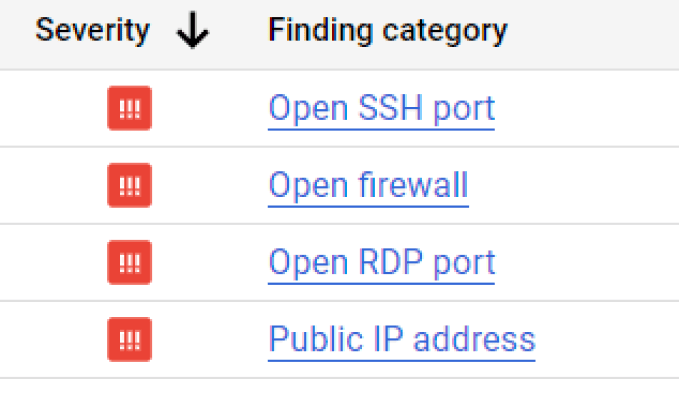
This default VPC contains IPv4 firewall rules already propagated under open ports, so it leaves ports like SSH and RDP pointing to 0.0.0.0/0.
In the vast majority of situations, these will not be necessary, since SSH ports for Linux machines and RDP ports for Windows machines will not be used.
If a VPC is needed for the project, it is necessary, based on best practices, to create a custom one, only with the necessary and well-configured ports and rules.
For more information about this vulnerability, please refer to the following link.
• Time savings for both sender and receiver: the project creation request process is now carried out through a Google form, saving time by delivering exactly the information needed and avoiding extending communication between both parties.
From a technical standpoint, you simply need to take that information and include it in the variables.tf file in GitLab. When you save the changes with a commit, the pipeline runs and the project is generated with all the necessary parameters.
• Avoid human error: automation avoids human error when performing repetitive tasks.
Now that you know all this information, let's get to what brought you here:
Guide to automating project creation in Google Cloud
GitLab configuration:
To deploy this automation, the following steps must be followed:
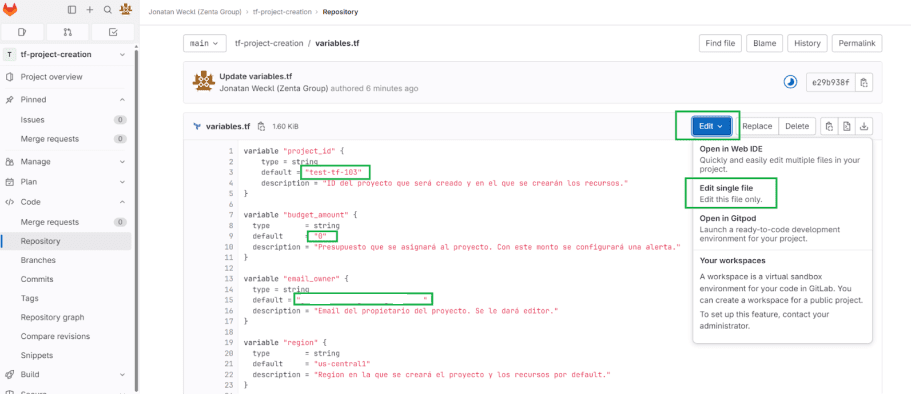
• Enter the GitLab repository: Go to the variables.tf file and select “Edit Single File”
• Within the file editing, the required variables must be configured, modifying only the content between the default quotation marks.
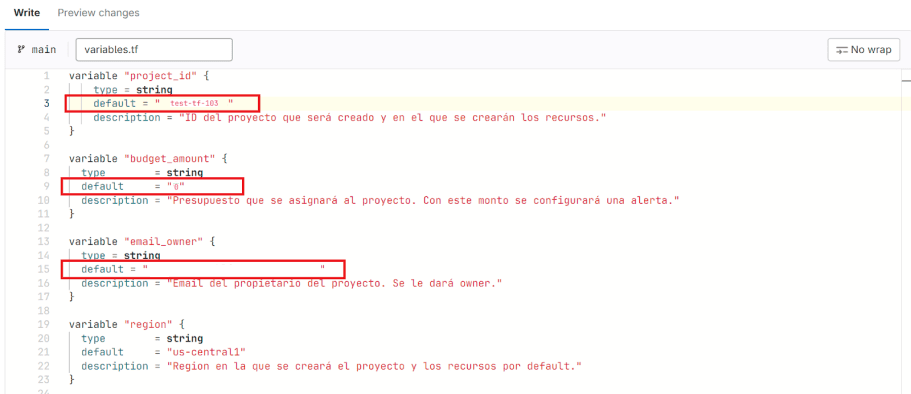
• Once you have finished editing all the variables that need to be modified, press the “Commit changes” button at the bottom of the screen. This will start the pipeline running.
• In the left panel, go to “Build” and then to “Jobs”. Once the first two stages of the pipeline are complete, click the “Play” button for the pipeline to apply the changes.
Note: This final stage is forced to be manual to prevent accidental changes.
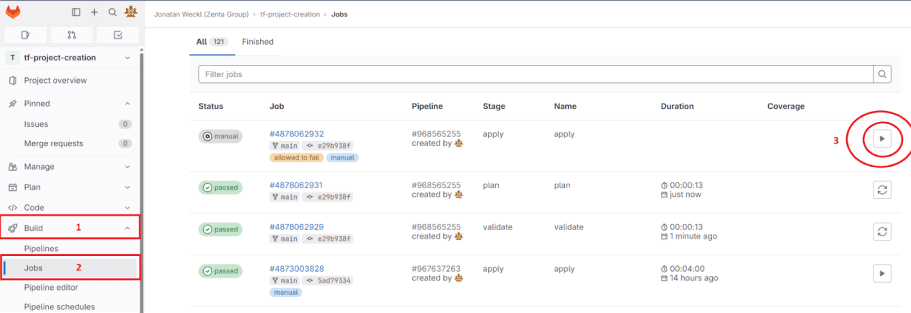
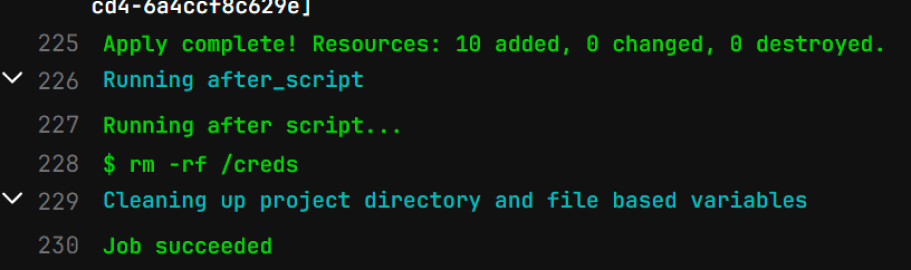
• Wait for the changes to take effect. This may take between 5 and 10 minutes. Once you see the message “Job succeeded”, the project has been created with its configuration.
I hope this guide is of great help to you, so that automating your projects makes them much more agile, secure, productive, and profitable.
If you have any questions or need help setting up your projects on Google Cloud, remember that we specialize in cloud infrastructure and have a team of experts always ready to boost your business.
Contact us!