



Many companies hire consultants to create automated solutions for their businesses, and the UX challenge increases due to the complexity of the business.
Companies need to automate, and it has become very common to see their most important processes documented only in Excel or Word spreadsheets, which It is neither reliable nor safe.
I recently experienced a project within the forestry sector, along with a client that provides services to other important forestry companies in Chile.
Upon starting, I discovered that everything was condensed into one Excel and at most, their metrics were translated into a Data Studio, This terrified me, because my assignment was relatively short, and the following questions came to mind…
How could I understand this type of difficult business in such a short time? How can a company that carries out such complex and costly processes rely solely on this type of document?
To meet the goal, we decided to provide the client with a service unique to Zenta, which, while based on the premise of Design ThinkingThis is a 10-day collaborative project with the client, where we go through all the stages of this methodology. Understanding the business, its users, and competitorsetc. We were there, side by side, working to achieve a result that will provide them with a better process.
Along the way, I would have liked to find an article where I could learn about this field and its types of solutions. So, I set about creating this content, based on my experience in this project.
What was the challenge?
Design and implement a comprehensive digital management tool for process control in: Warehouse, maintenance and operations.
Technically, we're talking about a CMMS
A computerized maintenance management system or CMMS It is software that centralizes maintenance information and simplifies maintenance operations processes. It helps to optimize usage and availability of physical equipment such as vehicles, machinery, communications, plant infrastructure, and other assets. CMMS systems are found in manufacturing, oil and fuel production, power generation, construction, transportation, and other industries where physical infrastructure is critical. IBM Web
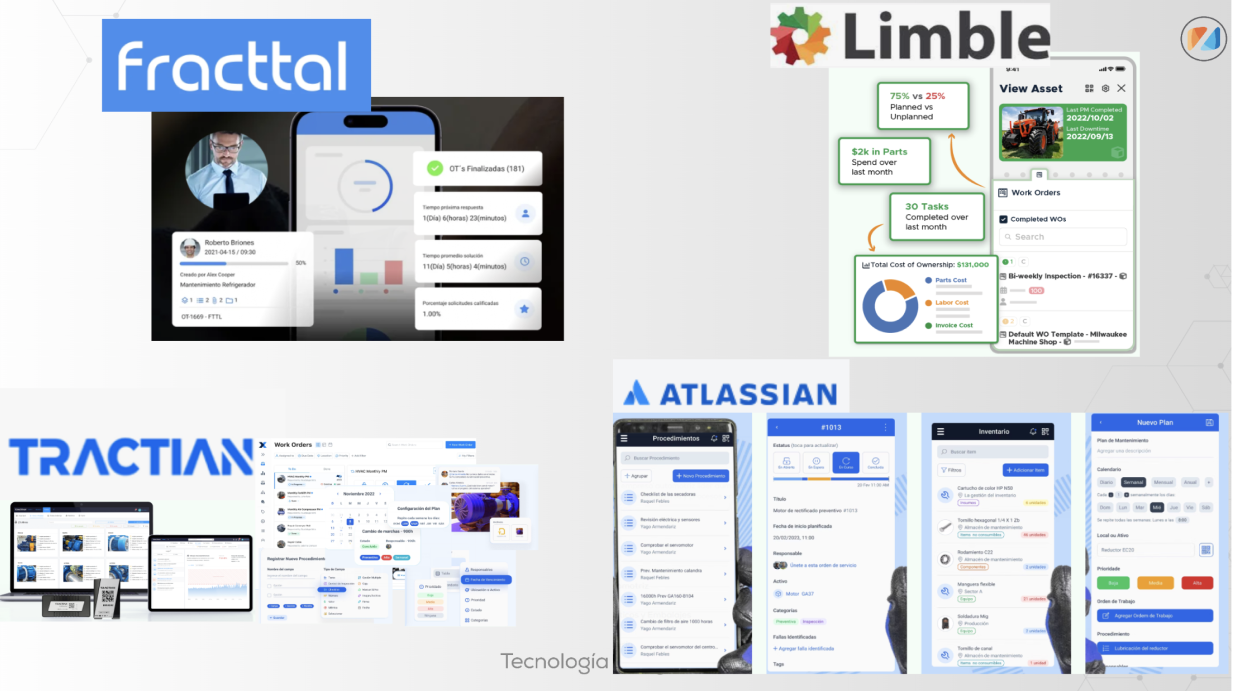
In addition, we decided to search the market tools to understand workflows, design, visualization, and user experience using the solutions. Among them we can find:
What did the client want to resolve in their processes?
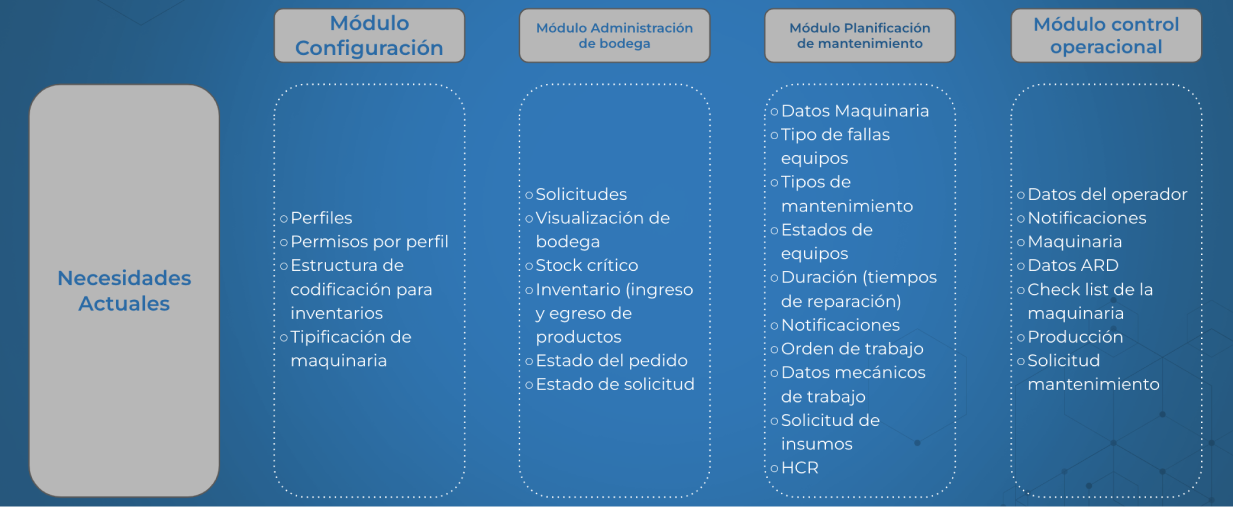
After all the collaborative work, the analysis carried out and the information gathering, we identified the needs that the client needs to address:
1. Maintenance flow of your machinery (types of maintenance)
2. Inventory (availability of spare parts or supplies for repairs)
3. Operational control on the daily production made by its operators on site
4. Performance log and usage factor for each piece of production equipment (machinery)
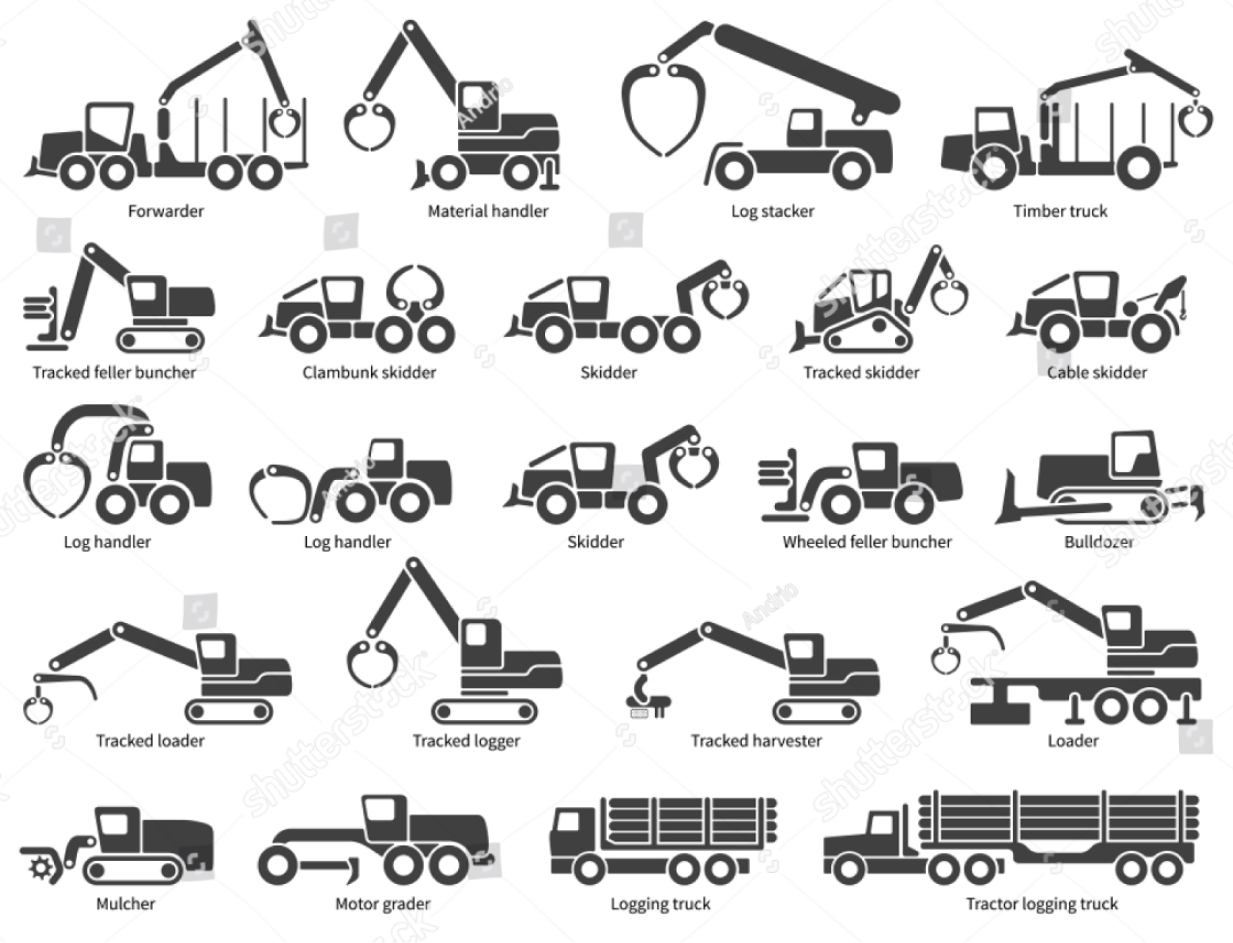
To support this analysis process, the client shared several documents where they registered their production processes and a database of the heavy machinery they use in their forestry activities. Regarding this, we wanted to investigate further and learn about the machinery they performed maintenance on:
1. Claw Excavator / 2. Madereov Tower / 3. Excavator with Head / 4. Shovel / 5. Skidder / 6. Slasher Excavator / 7. Winch Excavator / 8. Harvester / 9. Forwarder
This is intended to define how represent to each of them in the interfaceto provide visual support to the user.
It was also necessary to understand, from a business perspective, the type of maintenance performed on this type of machinery in order to have an idea of How to optimize the maintenance request process. The four types of maintenance strategy are:
• Corrective maintenance: It is performed after a problem is detected in the equipment to restore normal operating conditions.
• Preventive Maintenance: Performed on a planned schedule or according to guidelines, to reduce the risk of failure or performance degradation.
• Risk-based maintenance: It is done by combining analysis, measurements, and periodic testing activities.
• Condition-based maintenance: It is carried out based on the results of monitoring and performance evaluation.
Our client typically focuses on preventative maintenance, anticipating and avoiding any damage from daily use of the machinery. That seems simple, but it's important to pay attention to several rules, such as... machine hour meter, to find out how many hours it is necessary to perform maintenance according to the brand manual for each one.
Although, on many occasions, the machinery was repaired on the spot When they experienced any malfunction during work, the situation was complicated by having the necessary repair supplies available in the warehouse, as they did not normally carry them. no record of the supplies removed from it.
Another scenario was that the operator of the task had to travel to the main warehouse, which was quite far away, causing loss of time and delays in the production process already planned for that day.
Having knowledge of all these details, we began to investigate the flows, processes, and interface design taking as a reference solutions similar to the one we needed.
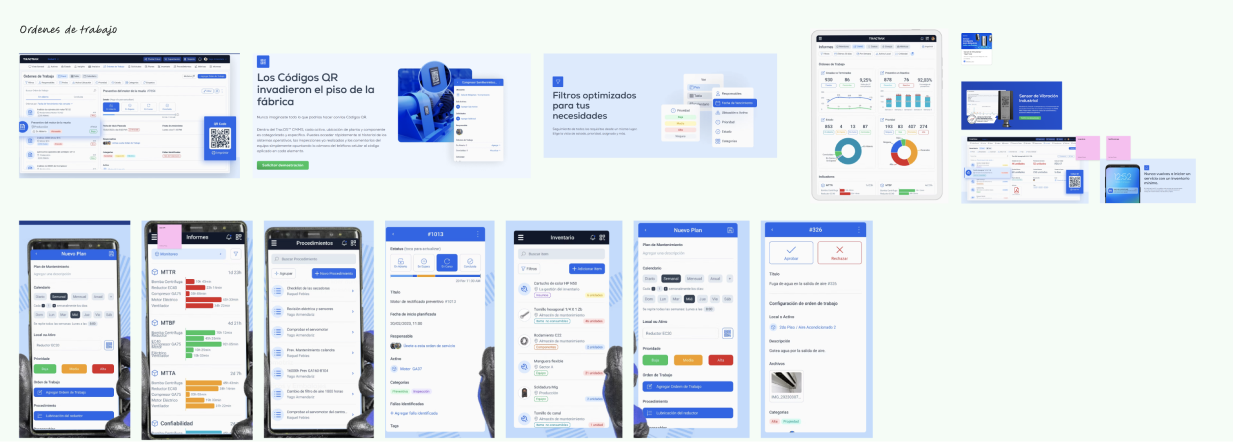
This allowed us to know how to facilitate the user journey and how to present the information so that the process of understanding the flow would be easy for the user.
Additional challenge
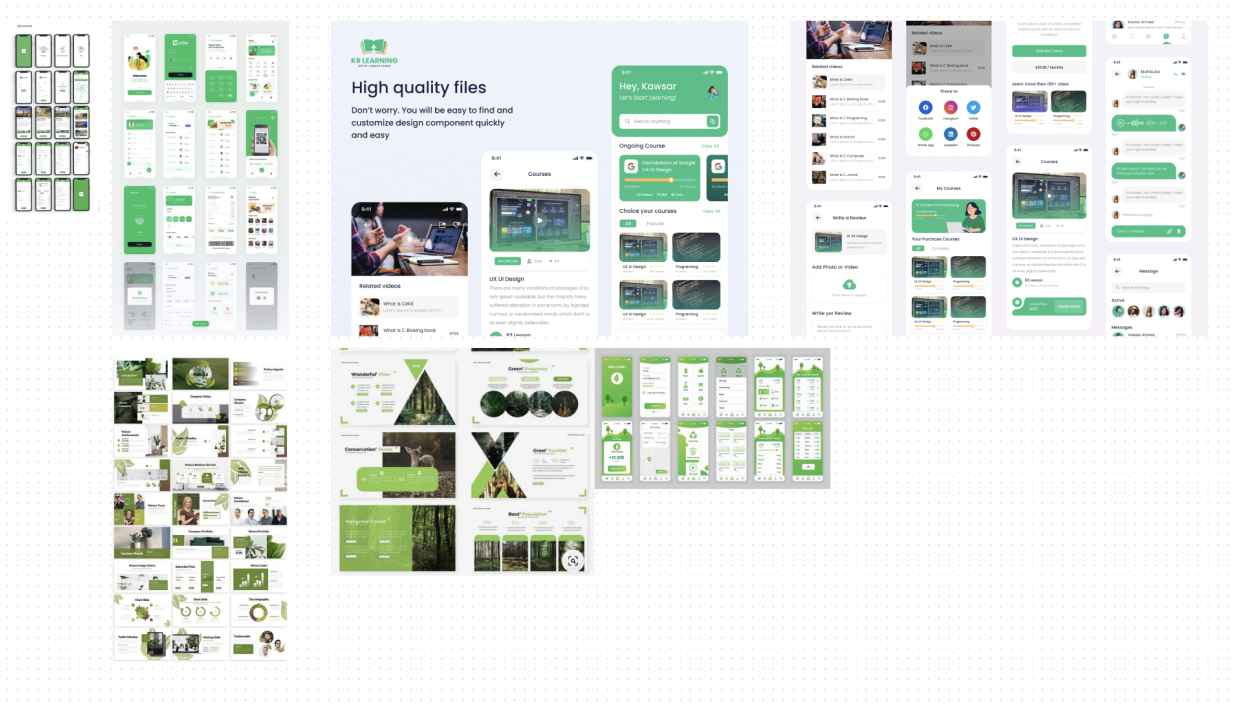
The client had no defined brand line, no branding or brand image, Just the logo. Therefore, in 10 days it was impossible to consolidate a graphic identity or UI kit, considering the time we were investing in gathering information. To solve this, we carried out a small moodboard with reference to typography, colors, images, etc., for this category.
With everything I've mentioned up to this point, we managed to achieve a mobile prototype to test with work site operators, maintenance supervisors, among others.
The proposed solution featured a design without many visual aspects, since The priority was to resolve hypotheses that had come out during the investigation.
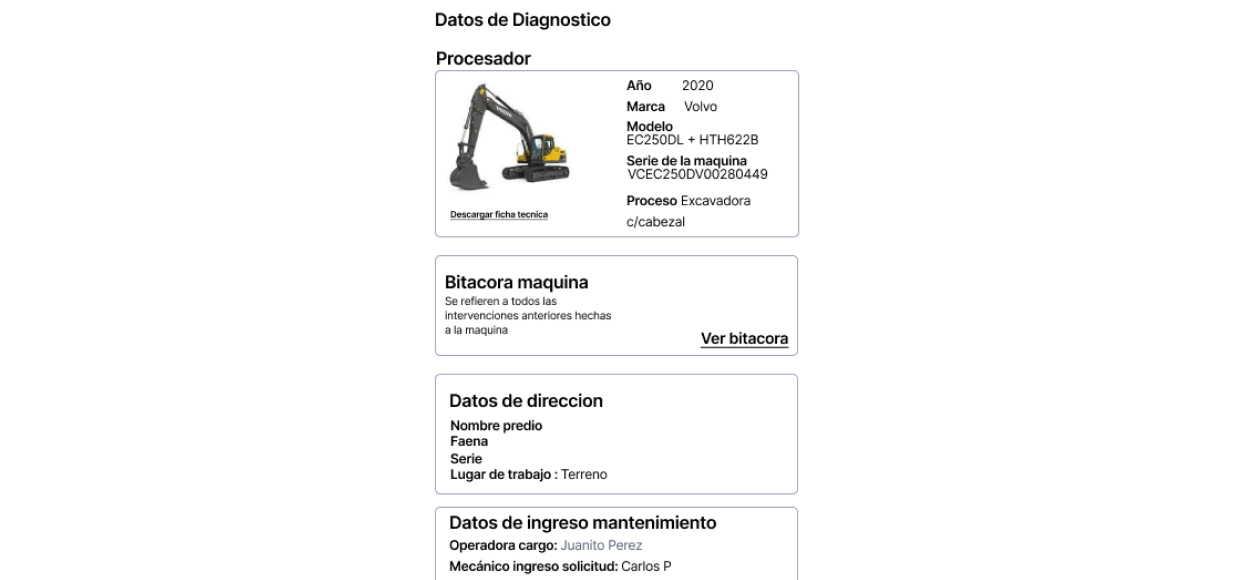
Machinery failure
• Show the type of machinery
• Machine information
• Log (previous revisions)
• Location of the machinery
• Add observations
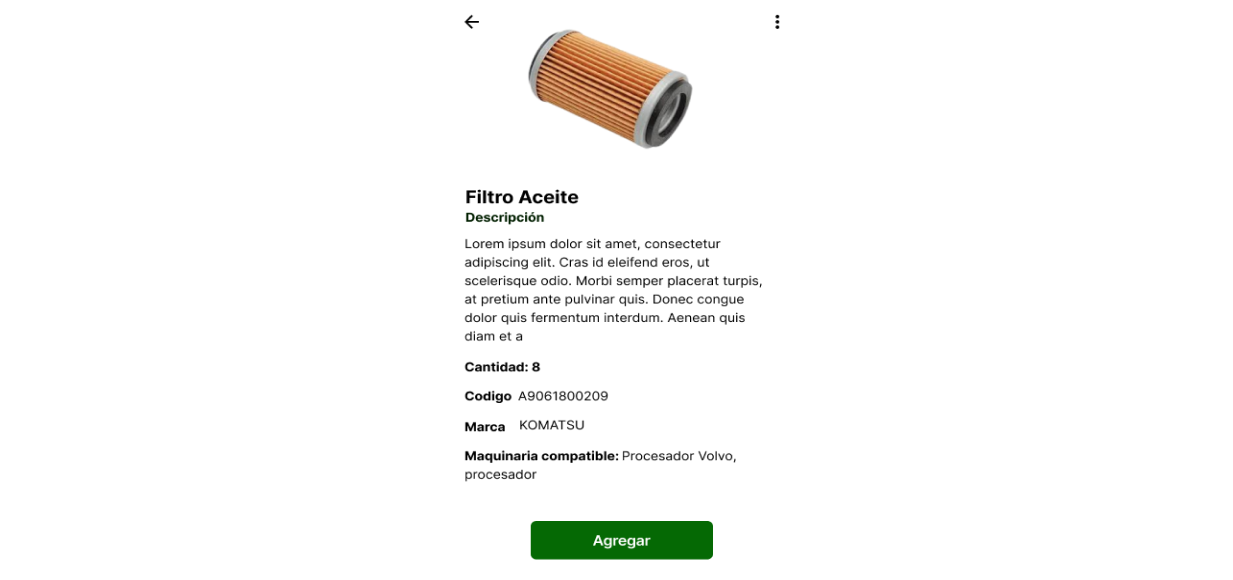
Spare parts or supplies available
• Availability
• Compatibility with other machinery
• Highlight code or brand
• Location and availability in warehouse or work site
These were some of the characteristics we were able to extract from the co-creative activities with the client. This prototype was tested and the interface was improved, making it possible to provide more information about its processes.
The work they carried out allowed them to know that they needed a UI kit for your product that allows you to scale your design to other future solutions, reducing time, optimizing and speeding up their construction.
On the other hand, the following was achieved:
• Create the workflow of a work order, according to the defined maintenance types.
• Understand how to upload data offline, considering that operators on site do not always have good coverage.
• Understand the order in the main hold and how to distribute them in the floating holds.
• Define how to perform corrective maintenance and understand the process of immediate on-site maintenance when there is a breakdown.
All of this helps to carry out a better control of daily tasksHaving the information easily and securely, without filling out Excel spreadsheets which, although they get you out of a bind, are not the best way to manage a company's processes.
Finally, I would like to leave one list of terms What I learned during my days of exploration and research with clients will surely help you if you end up working in this industry:
• MTBF (Mean Time Between Failures): It is a measure of the reliability of a product or system, representing the average time between repairable failures. A higher MTBF indicates a more reliable system.
• MTTR (Mean Time To Repair/Recovery/Resolution/Response): This metric has several meanings, including the average time to repair a system, the average time to recover from a failure, the average time to fully resolve a failure, and the average time from when an alert is received until work begins on the incident.
• MTTA (Mean Time To Receive Confirmation): It is the average time from when an alert is triggered until someone starts working on the incident.
• MTTF (Mean Time To First): Average time that a technological product functions without irreparable failures, and is used to evaluate the average lifespan of products and systems with a shorter lifespan.
• Work teams: It can represent a team, work line, or work front.
• Work front: It may relate to processing, turning, logging activities - Classified equipment.
• HCR: Risk control sheet, done at the beginning of each job, could contain fields associated with (Resources, potential incidents, safety measures).
• ARD: Daily risk analysis.
• PPE: Personal protective equipment.
References:
Ref 2: https://www.recambiosdemaquinariaop.com/mantenimiento-maquinaria-pesada/